
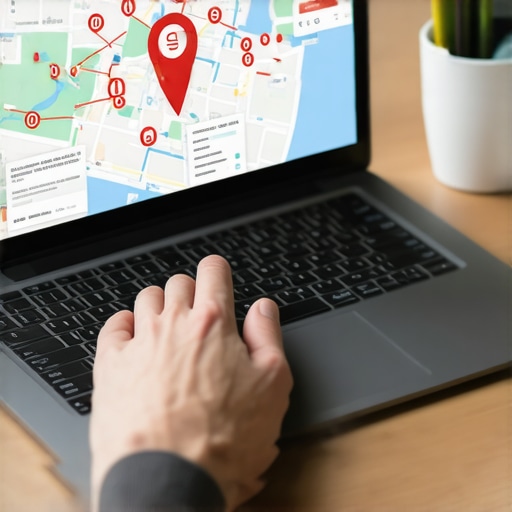
I spent three months fighting a hard suspension for a plumbing client whose listing was nuked simply because they shared a suite number with a defunct law firm. Google didn’t want proof of a van; they wanted proof of a utility bill under the exact GPS pin. I remember standing in their parking lot, smelling the wet concrete after a summer storm, taking high-resolution photos of their physical signage to prove to a machine that they existed. The glitch in the storefront data was subtle, but it was enough to wipe out ten years of search history in a single afternoon. When the Map Pack vanishes, the phone stops ringing, and the silence is deafening for a local business.
The forensic reality of the red banner
To appeal a Google Business Profile suspension, you must identify the violation type, gather physical evidence of your business location, and submit a formal reinstatement request through the official appeals tool. Successful appeals prioritize high-quality documentation like IRS tax letters, utility bills, and video proof of the storefront or service vehicle.
The moment you see the notification that your profile is suspended, your first instinct is to panic and hit the appeal button. Stop. A premature appeal is the fastest way to get a permanent ban. You need to understand if you are dealing with a soft suspension, where the profile is merely unverified, or a hard suspension, where the listing is removed from search results entirely. Most of the time, this happens because of a perceived violation of the representational guidelines. You might have changed your business name slightly to include a keyword, or perhaps your address is flagged as a co-working space. You should review what to do first when google suspends your business profile before touching any settings. The algorithm looks for patterns, and if your data doesn’t match the Secretary of State records precisely, you are a target for the spam filter. We are seeing a massive surge in automated takedowns as Google cleans up the map layer, and often, real businesses are caught in the crossfire.
Why your physical address is a liability
A physical address becomes a liability when it is shared with multiple entities, located in a virtual office, or mismatched across the web. Google uses proximity data and third-party databases to verify that a business occupies a unique, verifiable space that customers can actually visit during stated hours.
I have seen dozens of listings die because they used a Regus or WeWork address. Google hates virtual offices. They want to see a lease. If you are a service area business, you must hide your address, but if you have a storefront, your NAP, which is Name, Address, and Phone number, must be identical everywhere. Even a comma out of place in your suite number can trigger a trust drop. This is why why your address mismatch is making you invisible to locals is such a frequent problem for established shops. When the proximity engine sees two businesses at the exact same GPS coordinates with different names, it creates a conflict. The machine assumes one of you is a ghost. To fix this, you must scrub your data. You may need to look at the simple fix for mismatched address data in local search to ensure your foundation is solid before you ask Google to look at your case again.
“Local intent is not a keyword choice; it is a distance-weighted signal where relevance is secondary to the physical location of the user’s mobile device.” – Map Search Fundamental
Local Authority Reading List
- The manual process to reinstate your local business listing
- The checklist for recovering from a local search penalty
- Why manual reinstatement requests are more successful
- The fast track to getting your gmb reinstatement request approved
- How to document your business validity for reinstatement
Documenting validity for a stubborn algorithm
Documenting business validity requires providing government-issued proof of existence, including business licenses, tax registrations, and utility bills that clearly show the business name and address. Video verification has become the gold standard, requiring a continuous shot of the street sign, entrance, and internal operations.
When you prepare your evidence folder, think like a forensic investigator. Google is not going to take your word for it. They want to see the IRS letter that matches the name on your profile. If you changed your name to include keywords like “best plumber in Dallas,” you need to change it back to your legal name before appealing. This mismatch is a major reason why changing your business name often triggers a suspension. You should also take photos of your business vehicle if you are a service provider. The vehicle must have permanent branding. Magnetic signs are often rejected because they are easily faked. The goal is to prove that you are a legitimate entity with a physical presence in the local community. Many people fail because they provide blurry photos or documents that are more than three months old. Use the checklist for auditing your local search authority to make sure you have every piece of the puzzle before hitting submit.
The three mile radius that determines your revenue
The three mile radius around your business centroid is the most competitive zone for local search, where proximity signals outweigh traditional SEO factors. Ranking within this circle requires a verified profile, consistent engagement signals, and precise categorization to capture the highest volume of nearby user intent.
Proximity is the most powerful ranking factor in the Map Pack. If your pin drifts or your profile is suspended, you lose the ability to capture users who are standing right outside your door. The algorithm calculates the distance between the user’s mobile device and your business coordinates in milliseconds. If there is a suspension, that calculation returns zero. This is why why your business disappeared from the map pack overnight can be so devastating. Even after you get your listing back, you might find that your reach has shrunk. You will need to re-establish your authority in that specific three-mile zone. Using the profile tweaks that improve your ranking in nearby zip codes can help you regain the ground you lost during the downtime. The math of the map is unforgiving, but it is also predictable if you keep your data clean.
“The Vicinity update significantly increased the weight of distance as a ranking factor, reducing the dominance of businesses with keyword-stuffed names that were far from the searcher’s centroid.” – Proximity Intelligence Report
Fixing the visibility drop after changing your business model
Repairing a visibility drop after a business model change involves updating your primary categories, refreshing your service descriptions, and ensuring your website structure reflects the new services. Sudden shifts in business focus often trigger ranking fluctuations as Google recalibrates your relevance for new keyword sets.
If you were a general contractor and now you only do roofing, your profile is going to take a hit. Google needs to see that your website and your profile are in total sync. If they aren’t, the algorithm gets confused. This is often when fixing the visibility drop after changing your business category becomes the primary goal. You have to update your JSON-LD schema on your website to match your new primary category on your profile. Do not try to keep old categories just to catch extra traffic. This leads to “over-optimization” penalties that are harder to fix than a simple suspension. It is better to have one strong category than five weak ones. Check out improving gmb conversions with accurate category targeting to see how to align your business goals with the way the map actually functions.
The ghost in the GPS coordinates
Ghost locations and duplicate listings create signal interference that confuses Google’s proximity engine and leads to suppressed rankings or account suspensions. Removing these forensic traces of old or fake businesses is essential for maintaining a stable and authoritative presence in the local Map Pack.
Sometimes the problem isn’t you; it is the business that lived in your office two years ago. If their listing is still active or “marked as closed” but not deleted, it creates a conflict. I call these ghost listings. They haunt your physical address. You need to use the method for finding and removing ghost business profiles to clear the air. If you don’t, Google might think you are a duplicate of a defunct business. This is a common trigger for the “suspicious activity” flag. You should also be careful about how to spot the ghost listings killing your map visibility from your competitors. Sometimes spammy competitors will drop fake pins in your territory to steal your proximity signals. You have to be aggressive about reporting these to protect your own ranking. The map is a battlefield, and the data is the ammunition.
Cleaning up the digital debris
Cleaning up digital debris involves auditing all online citations, removing duplicate profiles, and correcting inconsistent contact information across the web’s major data aggregators. This process restores trust with search engines and ensures that your business data is the most reliable source for local queries.
Once your profile is back online, the work isn’t done. You have to make sure the rest of the internet agrees with Google. If your Yelp page has an old phone number or your Facebook page has a different address, the suspension could happen again. This is where how to clean up mismatched contact details across the web comes into play. You should look into the technical guide to cleaning up messy location pages to ensure your website is reinforcing your profile data. A clean profile on a messy technical foundation will never stay in the top 3 of the Map Pack. Use the audit move that finds why your site stopped showing up to check for deeper issues like crawling errors or malicious redirects. The goal is to build a fortress of consistency that the algorithm cannot ignore. When every signal from your GPS coordinates to your tax ID is perfectly aligned, your profile becomes a dominant proximity beacon that resists future suspensions.